> For the complete documentation index, see [llms.txt](https://docs.workflowgen.com/llms.txt). Markdown versions of documentation pages are available by appending `.md` to page URLs; this page is available as [Markdown](https://docs.workflowgen.com/admin/7.22/overview.md).
# Administration Module Overview
## Overview
The WorkflowGen **Administration Module** is a web application whose main functions are:
* Managing directories, groups, and users
* Defining processes and global information
* Defining security relating to users and processes
Since these operations are highly sensitive, access to, and management of the Administration Module should be considered carefully.
## Administration Module access
The Administration Module can be accessed through the following URL: `http://yourwebsite/wfgen/admin/default.aspx`.
{% hint style="info" %}
* `default.aspx` is optional if preconfigured as the default document of the WorkflowGen website.
* `yourwebsite` can be a DNS or an IP address; however, a DNS address is recommended to ensure a smooth transition in the event that the site is moved to different servers, or if using a web farm configuration.
{% endhint %}
## Authentication
Depending on the authentication method chosen by the WorkflowGen Administrator, you may have to enter a username and a password when you want to log in to WorkflowGen. These login credentials can also correspond to the ones used when you open a Windows session.
## Language selection
You can choose a language from the home page of the Administration Module. If the list is not displayed, the application has been configured to use a specific language. The country beside the language allows the system to use the correct regional settings in the application (mainly in displaying dates or numeric values).
For example, **English (United Kingdom)** corresponds to an English GUI with the regional settings of the United Kingdom (date format: `dd/mm/yyyy`), while **English (United States)** corresponds to an English GUI with the regional settings of the United States (date format: `m/d/yyyy`).
Currently, you can choose from the following languages:
* English (Australia)
* English (Canada)
* English (United Kingdom)
* English (United States)
* Français (Canada)
* Français (France)
* Français (Suisse)
* Deutsch (Deutschland)
* Deutsch (Schweiz)
* Italiano (Italia)
* Português (Portugal)
* Español (España)
## Administration Module structure
### Banner menu
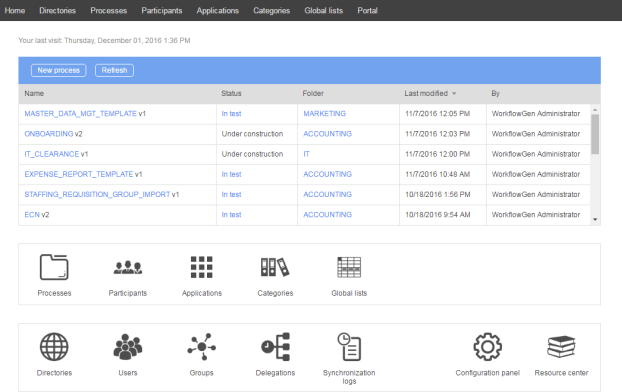
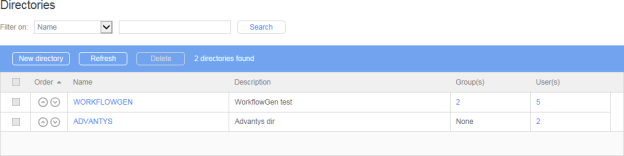
Click **Directories** in the banner menu to access the **Directories** screen.
Click **Directories** to open the Directories list.
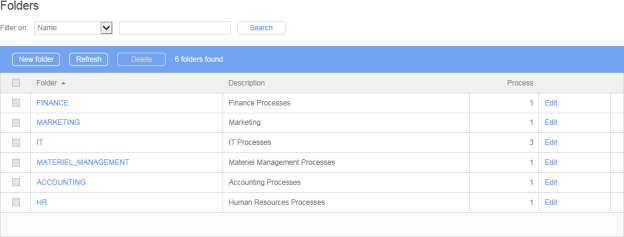
Click **Processes** in the banner menu to open the Process folders list.
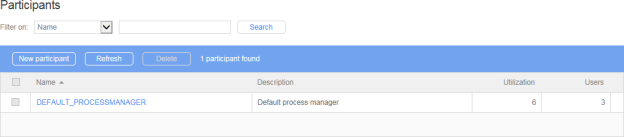
Click **Participants** in the banner menu to open the Participants list.
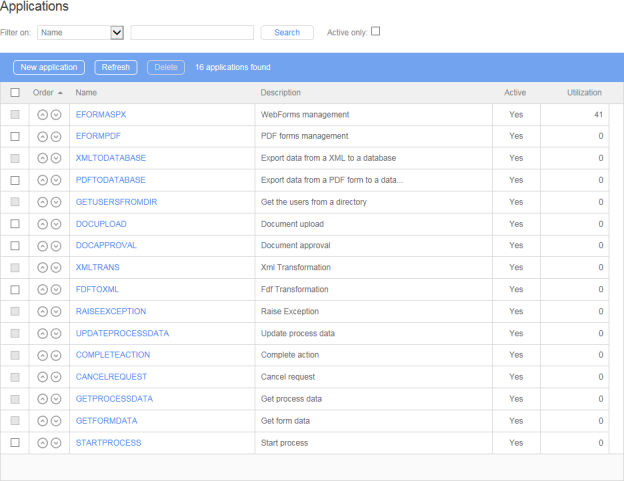
Click **Applications** in the banner menu to open the Applications list.
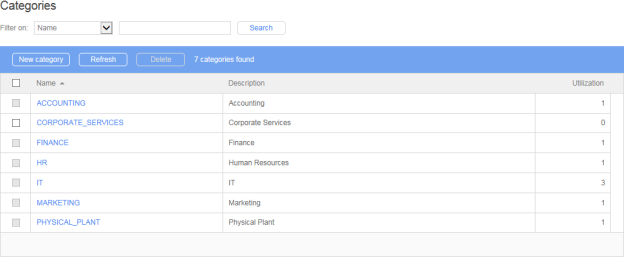
Click **Categories** in the banner menu to open the Categories list.
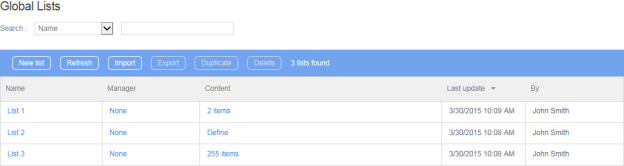
Click **Global Lists** in the banner menu to open the Global Lists list.
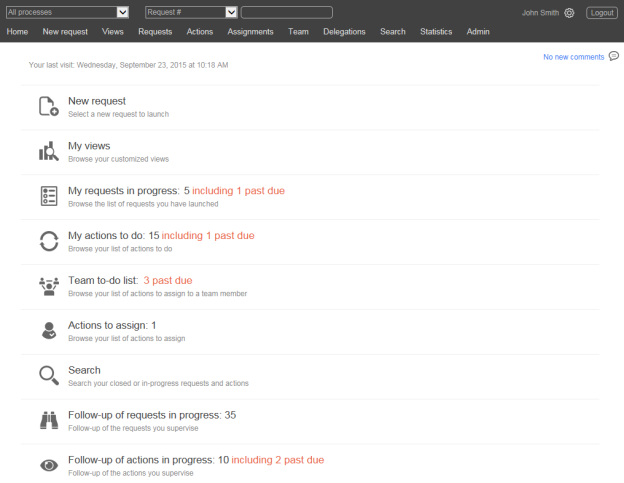
Click **Portal** in the banner menu to access the **User Portal**.
### Process workflow
On the Administration Module home page, click an entry in the process list to access the **Process workflow**, which includes the following tabs:
* **Information**
* **Participants**
* **Data**
* **Form**
* **Workflow** (in **Graphical** or **List** view)
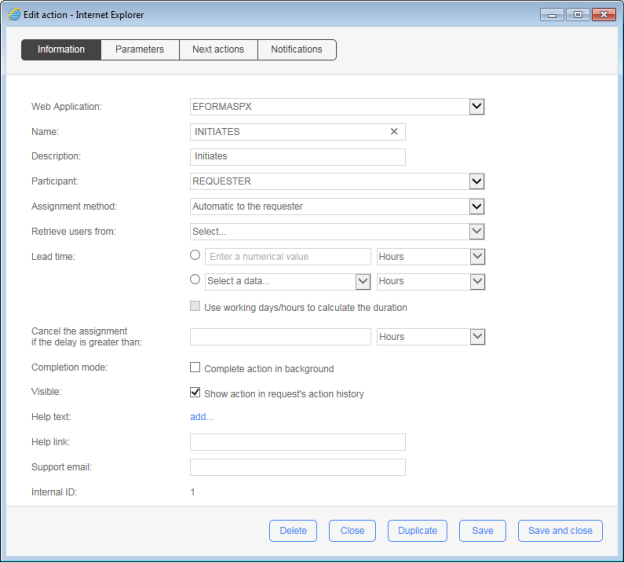
Double-click an action in **Graphical** view or click an entry in **List** view to open the **Edit action** form, which includes the following tabs:
* **Information**
* **Parameters**
* **Next actions**
* **Notifications**
The **Process workflow** screen also includes the following links:
* Full screen
* Report
* Test
### Process management

In the process management section on the Administration Module home page, click:
* **Processes** to access the Process folder list and subsequently the Process list and Process form.
* **Participants** to access the Participants list and subsequently the Participants form.
* **Applications** to access the Applications list and subsequently the Application form.
* **Categories** to access the Categories list and subsequently the Category form.
* **Global Lists** to access Global Lists (see [Global Lists](/admin/7.22/global-information/global-lists.md)).
### User management

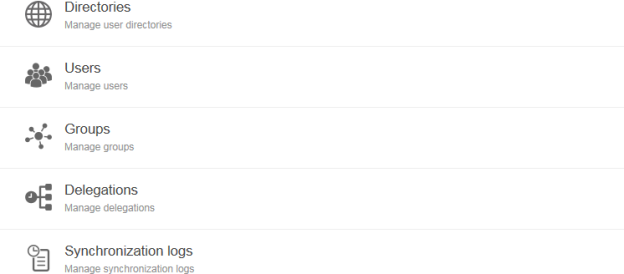
In the user management section on the Administration Module home page, click:
* **Directories** to access the Directories list and subsequently the Directory form (see [Directories](/admin/7.22/user-management/directories.md)).
* **Users** to access the Users list and subsequently the User form (see [Users](/admin/7.22/user-management/users.md)).
* **Groups** to access the Groups list and subsequently the Group form (see [Groups](/admin/7.22/user-management/groups.md)).
* **Delegations** to access the Delegations list and subsequently the Delegation form (see [Delegations](/admin/7.22/user-management/delegations.md)).
* **Synchronization logs** to access the Synchronizations logs list and subsequently the View log (see [Directory Synchronization](/admin/7.22/directory-synchronization.md)).
See [User Management](/admin/7.22/user-management.md) for information on how to use these features.
### Configuration Panel
The **Configuration Panel** includes the following tabs:
* General
* Portal
* Administration
* Directory synchronization
* Remote Approval
* Diagnostic
* Product information
See [Configuration Panel](/admin/7.22/configuration-panel.md) for information on these settings.
### Resource center
Click **Resource center** to access the **WorkflowGen Resource center** website.
## Nomenclature
Most of the information that is kept in the WorkflowGen database is identified through a combination internal ID name.
For technical reasons and legibility, these names must contain only characters: alphanumeric combinations, hyphen (`-`), and underscore (`_`) characters (no spaces).
Administrators can limit the characters to the ANSI table or allow the use of the entire range of alphanumeric characters, including double-byte characters (Unicode).
On the **Administration** tab in the **Configuration Panel**, select the **Name encoding restriction** checkbox. In most cases, the name must not be longer than 30 characters.
## Security
Access to the **Administration Module** is limited to users with an administrator profile and users that are participants designated as process managers. However, during the software installation, access control may be deactivated temporarily.
Once authentication is activated, the following restrictions apply:
* Administrators have no access restrictions except for the **Configuration Panel**, which requires specific access rights (see the [WorkflowGen Technical Guide](https://advantys.gitbooks.io/workflowgen-technical-reference-guide/content/) for more information).
* Process managers have access to the process definition and the statistics of their folders; however, they have no control over directories, groups, user management, delegations, global participants, or application management.
* Process supervisors can access the statistics of their processes from the **User Portal**, but cannot log in to the **Administration Module**.
## Deleting and archiving
To maintain the integrity of completed requests, information cannot be deleted if it relates to the process definition or to global data. Similarly, information used in real (active) requests made by users cannot be deleted.
---
# Agent Instructions
This documentation is published with GitBook. GitBook is the documentation platform designed so that both humans and AI agents can read, navigate, and reason over technical content effectively. Learn more at gitbook.com.
## Querying This Documentation
If you need additional information that is not directly available in this page, you can query the documentation by asking a question.
Perform an HTTP GET request on the following URL with the `ask` and `goal` query parameters:
```
GET https://docs.workflowgen.com/admin/7.22/overview.md?ask=&goal=
```
`ask` is the immediate question: it should be specific, self-contained, and written in natural language.
`goal` is what the user is ultimately trying to achieve, the reason they need the answer. Sharing it helps GitBook give you a better, more relevant answer. A goal is most helpful when it describes the outcome the user wants rather than restating the question. For example, with `ask=how do I create an API token`, a goal like `automate deployments from our CI pipeline` lets GitBook tailor the answer to that use case.
The response will contain a direct answer to the question and relevant excerpts and sources from the documentation.
Use this mechanism when the answer is not explicitly present in the current page, you need clarification or additional context, or you want to retrieve related documentation sections.