# New Request

## New request screen

<figure><img src="https://content.gitbook.com/content/87PQd7lEGiEgmvvK00Jy/blobs/NERCOTRHlGY31PZDrNJk/new_request_screen.png" alt=""><figcaption></figcaption></figure>

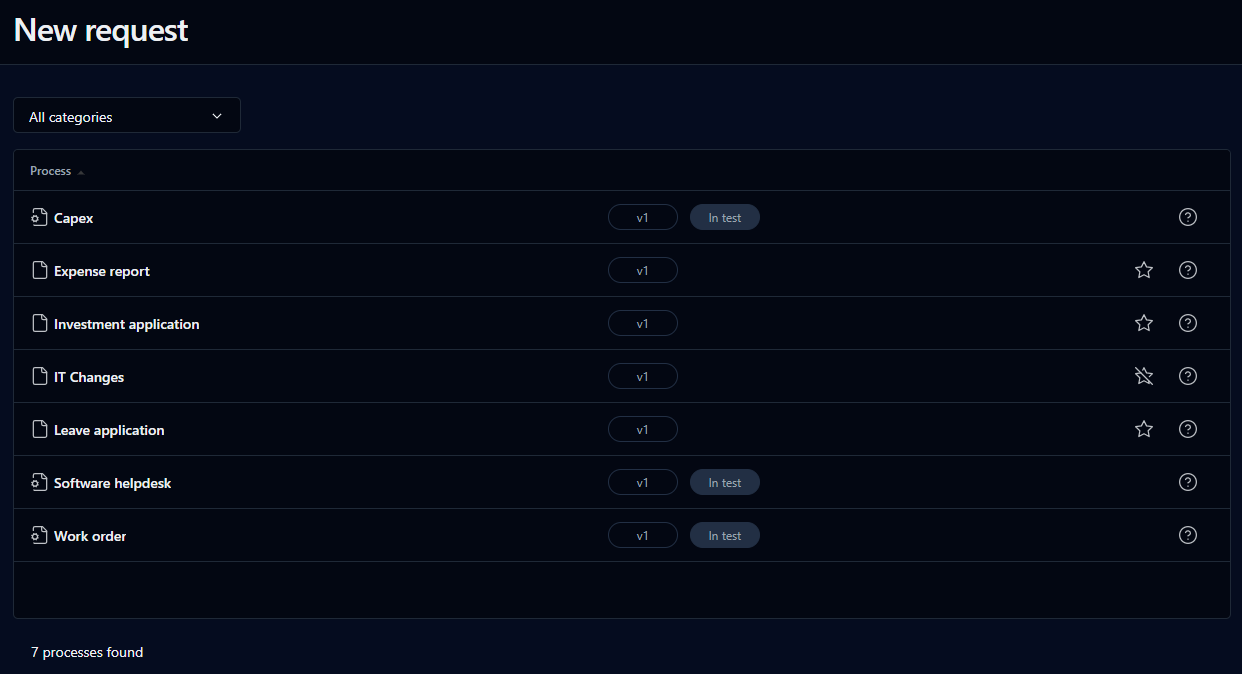
This screen lets you view all the processes you have access to and launch new requests.

To add a process to the **My favorites** list on your Dashboard, click the star outline. You can then open the process from either the **My favorites** or **New request** lists on your Dashboard. To remove a process from your favorites, click the star again.

## Search filter

<table data-header-hidden><thead><tr><th valign="top">Filter</th><th valign="top">Remarks</th></tr></thead><tbody><tr><td valign="top"><strong>Filter</strong></td><td valign="top"><strong>Remarks</strong></td></tr><tr><td valign="top">Category</td><td valign="top">Filter by process category</td></tr></tbody></table>

## List

<table data-header-hidden><thead><tr><th valign="top">Columns</th><th valign="top">Remarks</th></tr></thead><tbody><tr><td valign="top"><strong>Columns</strong></td><td valign="top"><strong>Remarks</strong></td></tr><tr><td valign="top">Description</td><td valign="top"><p>Process icon and process name (or process description):<br><img src="https://content.gitbook.com/content/87PQd7lEGiEgmvvK00Jy/blobs/UmWjBflOLDsvzVjOsbWP/process_in_test.png" alt="">  identifies processes with <strong>In test</strong> status<br><img src="https://content.gitbook.com/content/87PQd7lEGiEgmvvK00Jy/blobs/BZZnAtaugOdZPtcMRIAb/process_active.png" alt="">  identifies processes with <strong>Active</strong> status</p><p></p><p>Click the process icon to launch a new request form. If the <strong>Quick view</strong> functionality has been activated, the form will open in a pop-up window. Otherwise, click the process name to open the request form in its own window.</p></td></tr></tbody></table>

Click ![](https://content.gitbook.com/content/87PQd7lEGiEgmvvK00Jy/blobs/7MEp13VS17EfKIZvqIZs/question_mark.png) on the right-hand side of the row to open a pop-up help window.

You can sort the list ascending or descending by any of the elements by clicking on the corresponding column header.

## Request form left menu

<figure><img src="https://content.gitbook.com/content/87PQd7lEGiEgmvvK00Jy/blobs/fnNKFvBcSz6eqpRxPIE0/image.png" alt=""><figcaption></figcaption></figure>

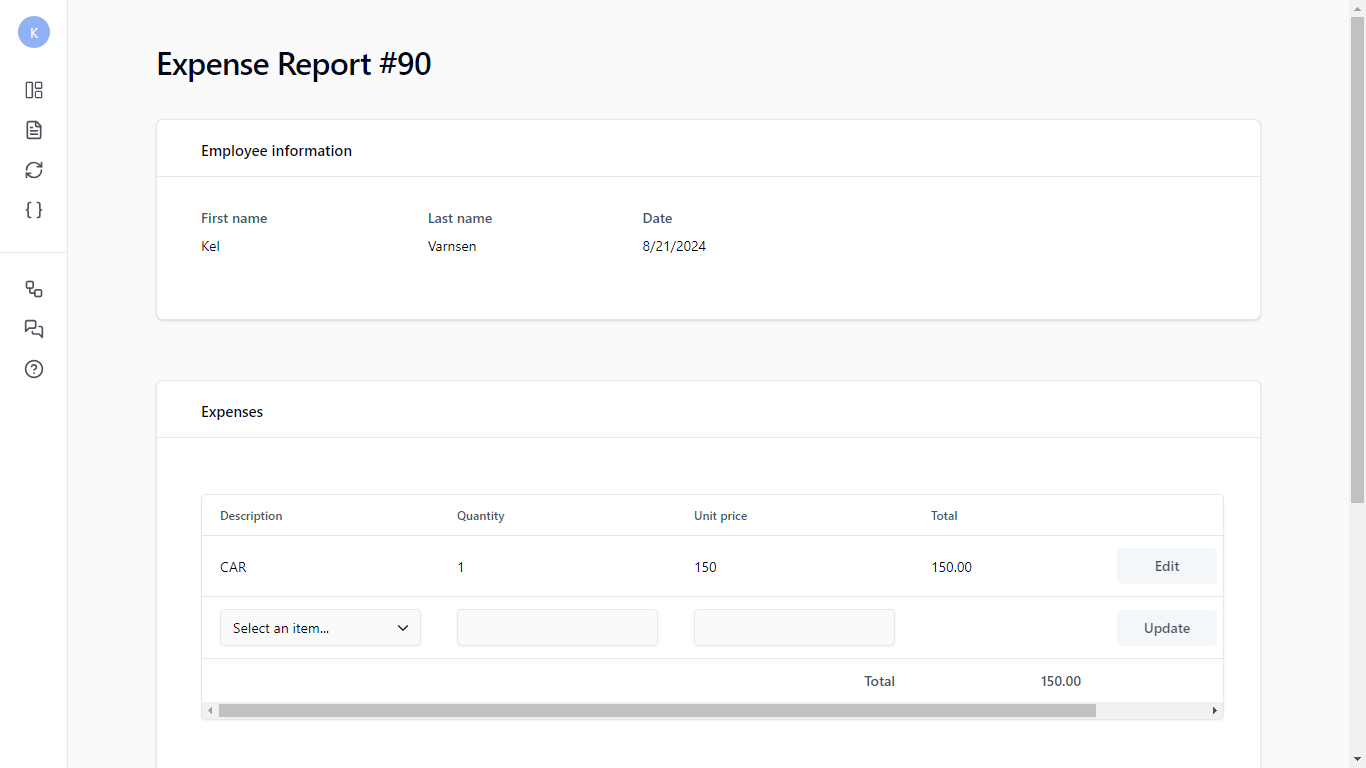
When you launch a new request, a new left menu appears.

<table data-header-hidden><thead><tr><th width="138.5" align="center" valign="top">Icon</th><th valign="top">Description</th></tr></thead><tbody><tr><td align="center" valign="top"><strong>Icon</strong></td><td valign="top"><strong>Description</strong></td></tr><tr><td align="center" valign="top"><img src="https://content.gitbook.com/content/87PQd7lEGiEgmvvK00Jy/blobs/DMTOuHdXU3PYJUKFV4Vu/left_menu_dashboard.png" alt="" data-size="original"></td><td valign="top">Return to the Dashboard</td></tr><tr><td align="center" valign="top"><img src="https://content.gitbook.com/content/87PQd7lEGiEgmvvK00Jy/blobs/o7C6dtNd7YmDQ7vRCaJU/left_menu_request_follow-up.png" alt="" data-size="original"></td><td valign="top">Open the <a href="request-follow-up-form">request information form</a></td></tr><tr><td align="center" valign="top"><img src="https://content.gitbook.com/content/87PQd7lEGiEgmvvK00Jy/blobs/iuBsFuou7LCwMzNxOmuk/left_menu_actions.png" alt="" data-size="original"></td><td valign="top">Open the <a href="action-follow-up-form">action information form</a></td></tr><tr><td align="center" valign="top"><img src="https://content.gitbook.com/content/87PQd7lEGiEgmvvK00Jy/blobs/Rx686fdosL7qoi7gc4VE/left_menu_data.png" alt="" data-size="original"></td><td valign="top">Show the process data associated with the request</td></tr><tr><td align="center" valign="top"><img src="https://content.gitbook.com/content/87PQd7lEGiEgmvvK00Jy/blobs/9wqeatu1GgGpMJDerCXH/left_menu_graphical_follow-up.png" alt="" data-size="original"></td><td valign="top">Display the graphical follow-up pop-up window</td></tr><tr><td align="center" valign="top"><img src="https://content.gitbook.com/content/87PQd7lEGiEgmvvK00Jy/blobs/ND5kyf8m5bT6CAUG8mGM/left_menu_comments.png" alt="" data-size="original"></td><td valign="top"><p>Open a pop-up panel that displays the list of comments on the request</p><p></p><p>A process participant’s associated users can view, refresh, or sort the comments list, post a new comment, delete an existing comment, and subscribe to the comment list RSS feeds.</p></td></tr><tr><td align="center" valign="top"><img src="https://content.gitbook.com/content/87PQd7lEGiEgmvvK00Jy/blobs/JS0aBT3BdV4DAB6lrYrb/help_question_mark.png" alt="" data-size="original"></td><td valign="top">Display the <a href="help">help</a> pop-up window</td></tr></tbody></table>