| Filter | Remarks |
|---|---|
| Filter | Remarks |
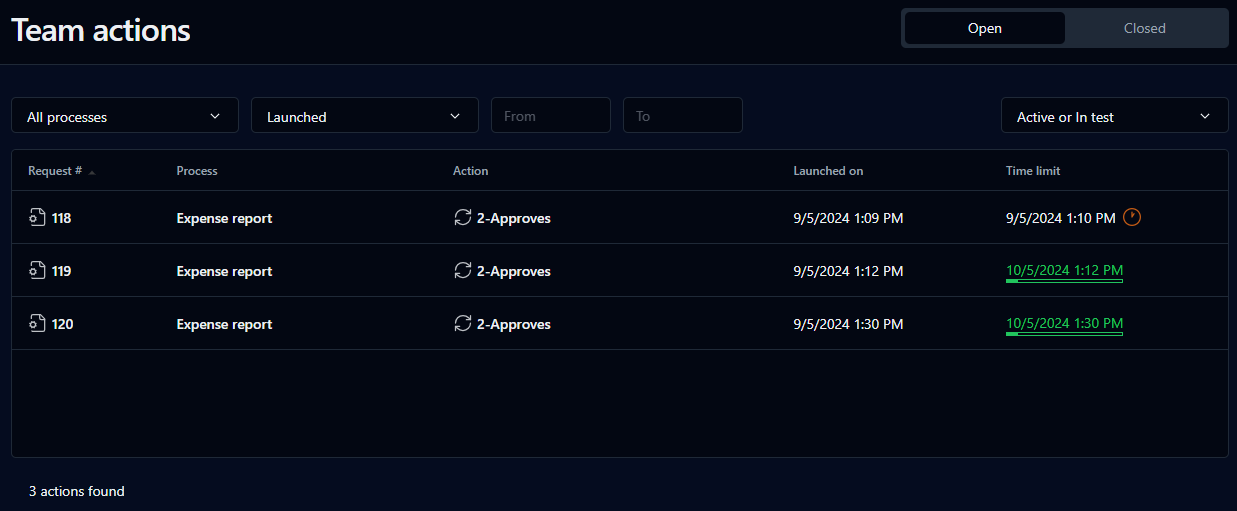
| Open | Filter by team actions to do |
| Closed | Filter by team actions closed |
| Process | Filter by process name |
| Mode | Request mode: Active or In test, Active, or In test |
| Launched | Request creation date |
| From / To | User-selected date range for created/closed team actions (click the fields to display a calendar date picker) |
| Columns | Remarks |
|---|---|
| Columns | Remarks |
| Request # | Request icon and request ID; a link displays the request follow-up form |
| Process | Request name |
| Action | Action name; a link displays the action follow-up form |
| Launched | Action creation date |
| Time limit | Deadline after which the action is considered late |
| Closed * | Action closure date |