# Views

## Views screen

<div align="left"><figure><img src="https://content.gitbook.com/content/87PQd7lEGiEgmvvK00Jy/blobs/UUNRptRdPhKJ5zDg84jn/views_screen.png" alt=""><figcaption></figcaption></figure></div>

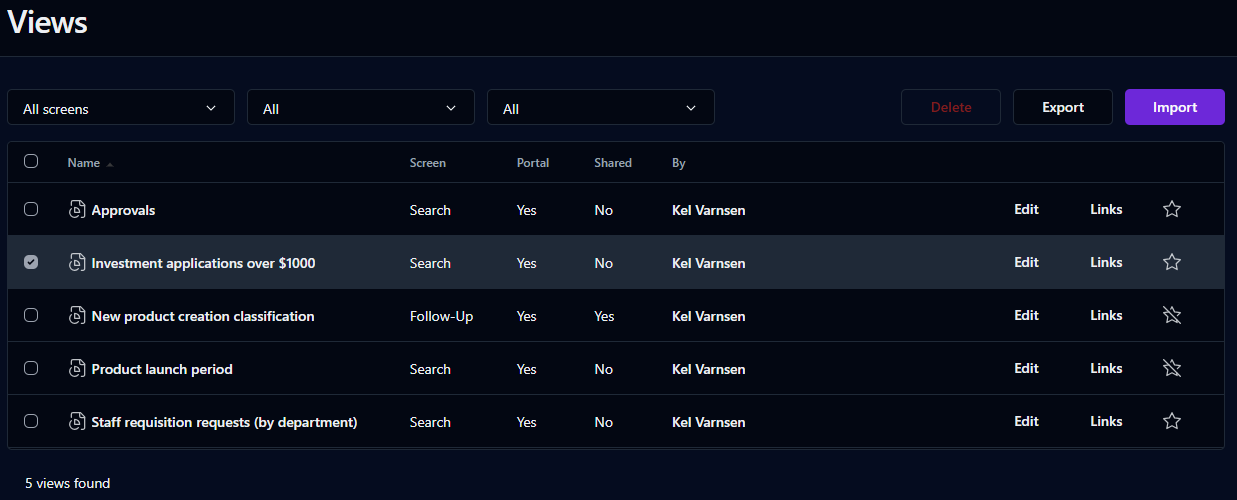
This page displays all of the views you've saved.

To add a view to the **My favorites** list on the Dashboard, click the star outline. You can then open the view from either the **My favorites** or **My views** expandable lists. To remove a view from your favorites, click the star again.

## Search filters

<table data-header-hidden><thead><tr><th valign="top">Filter</th><th valign="top">Remarks</th></tr></thead><tbody><tr><td valign="top"><strong>Filter</strong></td><td valign="top"><strong>Remarks</strong></td></tr><tr><td valign="top">Screen</td><td valign="top">Filter by the screen used to save the view</td></tr><tr><td valign="top">Portal</td><td valign="top">Filter based on views that have links on the Dashboard</td></tr><tr><td valign="top">Shared</td><td valign="top">Filter based on views shared by other users</td></tr></tbody></table>

## List

<table data-header-hidden><thead><tr><th valign="top">Columns</th><th valign="top">Remarks</th></tr></thead><tbody><tr><td valign="top"><strong>Columns</strong></td><td valign="top"><strong>Remarks</strong></td></tr><tr><td valign="top">Checkbox</td><td valign="top">Select view for export or deletion</td></tr><tr><td valign="top">Name</td><td valign="top">Name of the view</td></tr><tr><td valign="top">Screen</td><td valign="top">View’s screen type</td></tr><tr><td valign="top">Portal</td><td valign="top">Display (or don't display) the view on the Dashboard</td></tr><tr><td valign="top">Shared</td><td valign="top">View shared by other users (or not)</td></tr><tr><td valign="top">By</td><td valign="top">Owner of the shared view</td></tr><tr><td valign="top">Edit</td><td valign="top">Edit the view</td></tr><tr><td valign="top">Link</td><td valign="top">Display the view's URL and HTML</td></tr></tbody></table>

You can sort the list descending or ascending by any of the elements by clicking on the corresponding column header.

## Editing a view

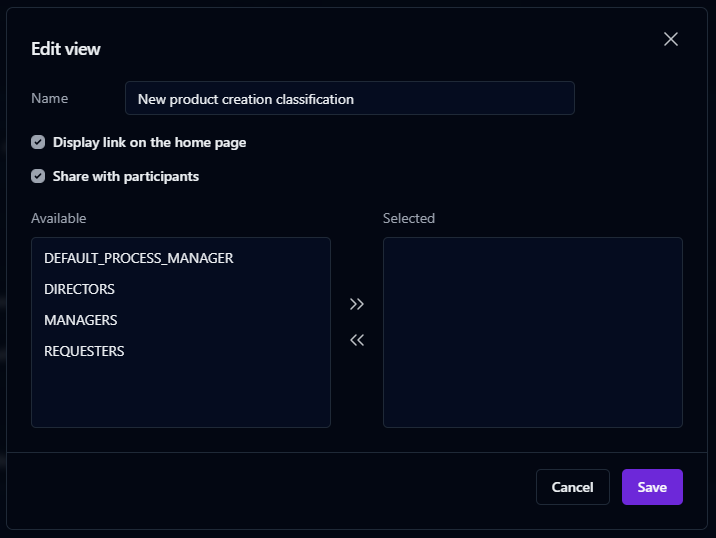
Click **Edit** to change the view's description, choose whether to include the view as a link available on the Dashboard, and share the view with other process participants.

<div align="left"><figure><img src="https://content.gitbook.com/content/87PQd7lEGiEgmvvK00Jy/blobs/H9xmcnkDwkPF3UMrat9r/edit_view.png" alt=""><figcaption></figcaption></figure></div>

## Getting the link to a view

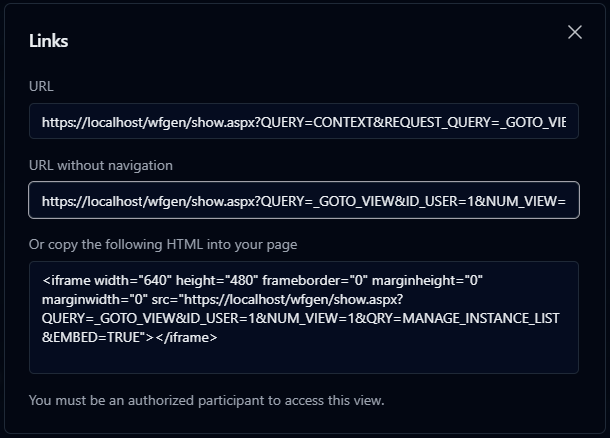
Click **Links** to display the view's URLs and HTML code, which you can use to embed the view in an external page.

{% hint style="info" %}
**URL** will display the view within the User Portal. **URL without navigation** will display the view on its own, without User Portal menus.
{% endhint %}

<div align="left"><figure><img src="https://content.gitbook.com/content/87PQd7lEGiEgmvvK00Jy/blobs/Ok177o0TvljTAxFZ10ss/view_links.png" alt=""><figcaption></figcaption></figure></div>

## Importing a view

To import a view, click the **Import** button above the list, select the view's previously exported `.xml` definition file, then click **Import**.

## Exporting a view

To export a view, check the checkbox to the left of the view's name, then click the **Export** button that appears above the list.

{% hint style="info" %}
Only one view can be exported at a time.
{% endhint %}

## Deleting a view

To delete a view, check the checkbox to the left of the view's name, then click the **Delete** button that appears above the list.